Reviewing Changes and PR Feedback
Review changes before shipping
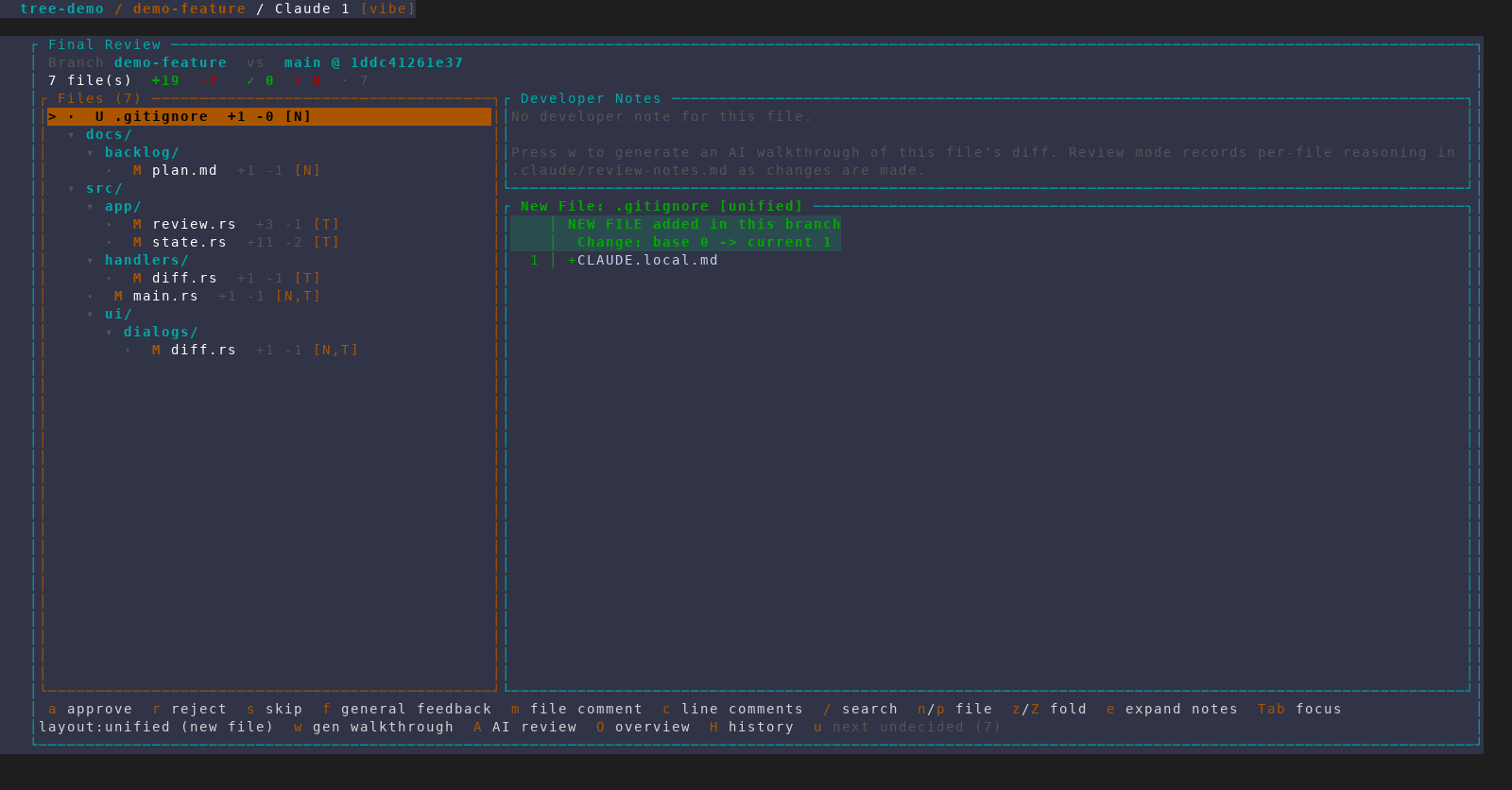
From an embedded session, press Ctrl+Space, then f. AMF presents the
feature's diff file by file and lets you attach line comments or suggested
changes. When you finish, AMF writes the feedback and hands it to an agent.
With an authenticated gh CLI, AMF can also post the feedback to the
branch's pull request.
The optional AI co-reviewer that drafts line comments for the current file reviews an oversized file hunk group by hunk group rather than sending one truncated prompt; the status line reports if any group could not be reviewed.
Files AMF itself wrote into the checkout — the harness hooks in
.claude/settings.local.json, .claude/amf-hook-state.json, the injected
amf-* skills, .amf/, and .gitignore or AGENTS.md changes made only of
AMF's own lines — are listed after your changes under a folded AMF files (n)
row, both here and in the current-changes viewer (Ctrl+Space, then d). The
header counts them separately (5 files · 1 is yours · 4 generated by AMF),
and its +/- totals cover your files only. Press . to show or fold them,
or use z and h/l on the row; Z folds the rest of the tree and leaves
this row as it is. A file at one of AMF's own paths that you or an agent
committed or staged is listed as an ordinary change, and a .gitignore or
AGENTS.md change is grouped only while every changed line is AMF's. They
still need a verdict before Final Review finishes without asking.
Work through pull-request feedback
With an authenticated gh and a GitHub remote, a feature whose branch has a
pull request shows a [PR #N · M open] badge on its dashboard row and in an
embedded session's header, refreshed every few minutes in the background.
Once that PR is merged or closed without merging, the badge switches to
[PR #N merged] / [PR #N closed] instead of disappearing.
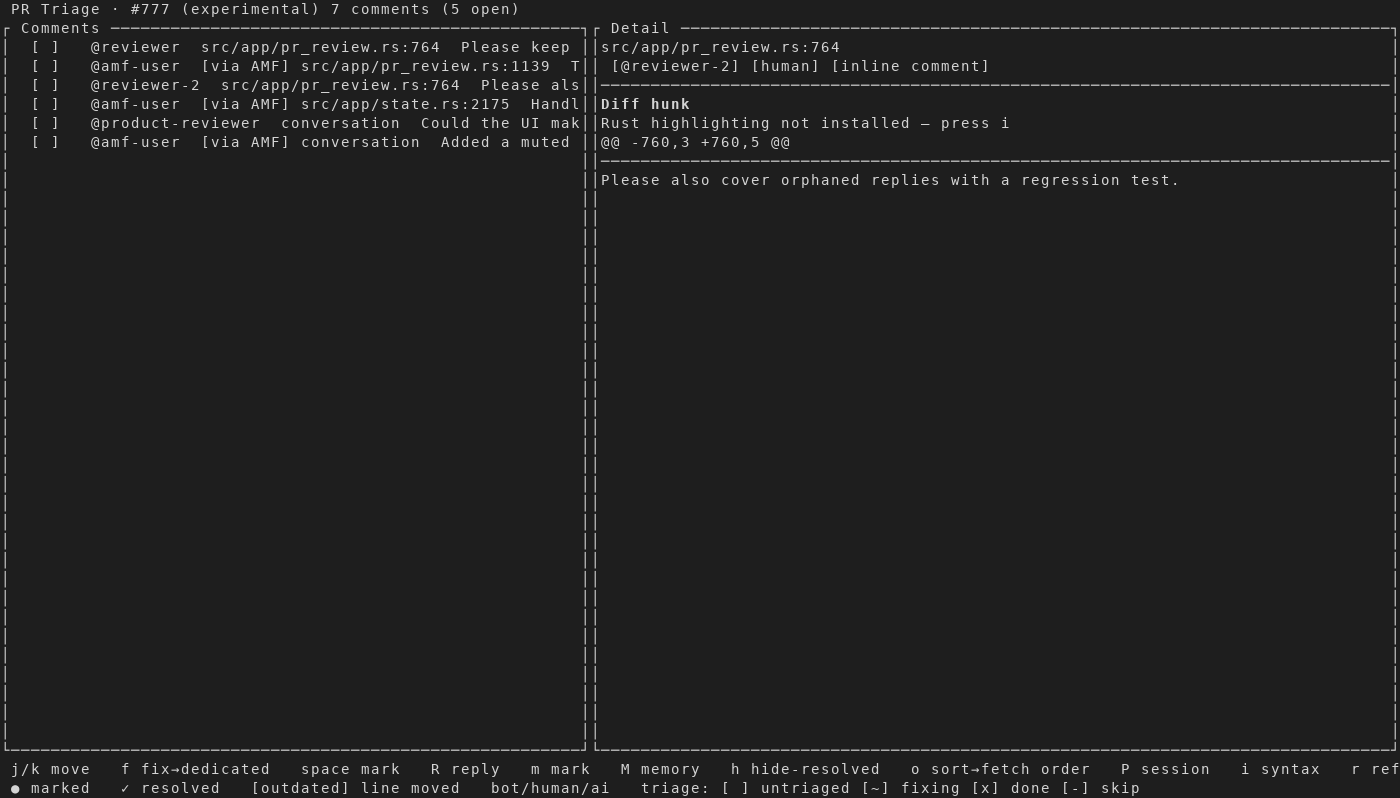
Select a feature and press G to open PR Triage. You can inspect review
threads, send an individual fix prompt or, with B, a batched one covering
several comments in a single agent run, reply, and mark threads done.
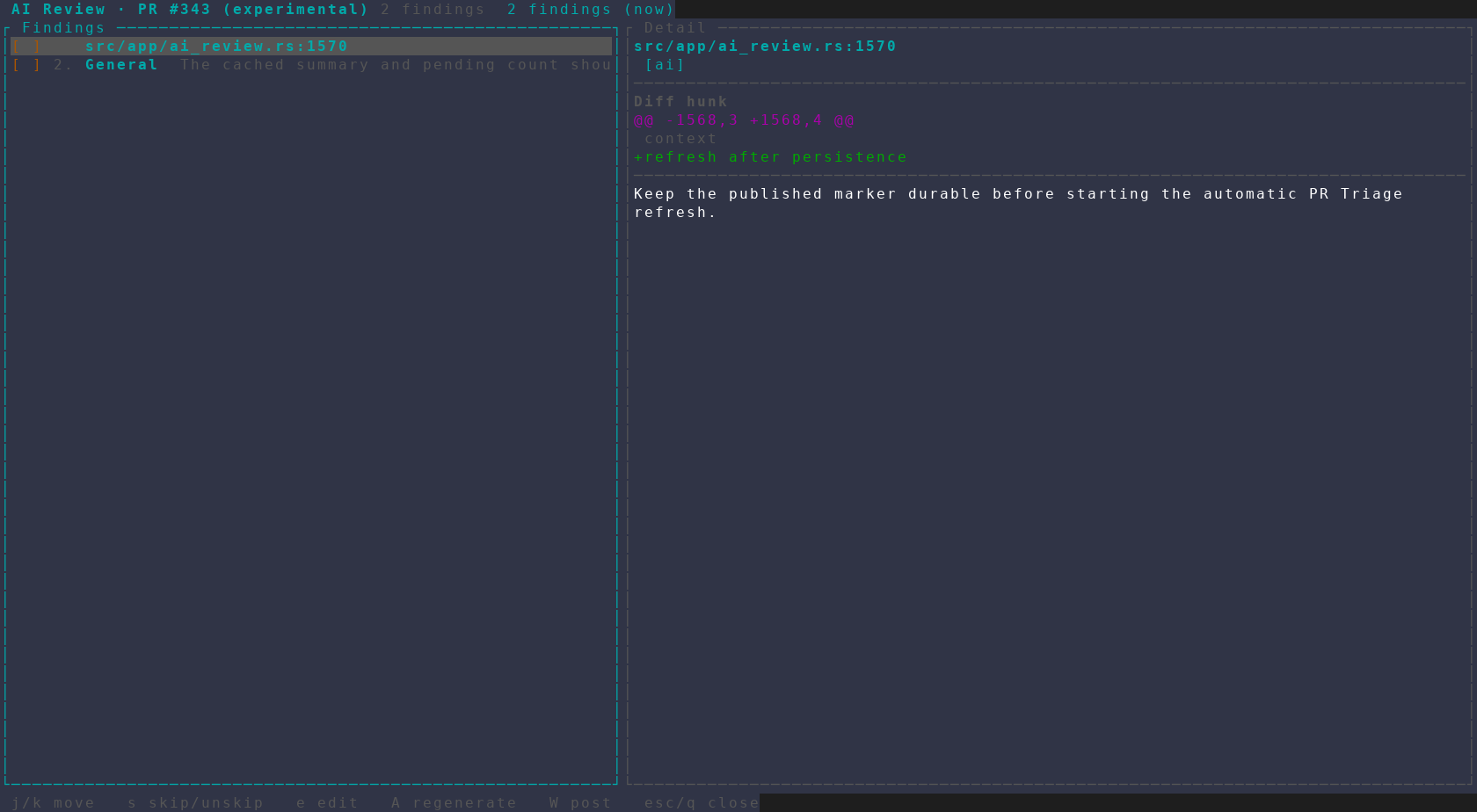
Press W to have AMF run its own review of the PR diff. GitHub actions are
presented for confirmation before AMF writes to the pull request.
A comment that asks a question rather than requesting a change can be
investigated instead of fixed: press v to run a strictly read-only headless
pass on the selected comment — it inspects the repo but changes nothing.
Press e first to attach an optional note — a hypothesis the investigation
verifies against the PR and repo. Press a on a finished investigation to
post an editable reply, ask a follow-up, dismiss it, or keep it as a TODO.
An unchanged AI-drafted reply discloses the harness, best-effort model,
estimated tokens, and estimated cost of the session that wrote it. AMF's own
AI review (W) carries the same attribution. When several comments were
fixed together in one B batch, the shared run's cost is shown in full on
every comment it resolved, marked combined (combined (3) for a
three-comment batch) so it reads as one run's cost rather than one per
issue.
When a PR diff is too large to review in one prompt, W splits it into
per-file batches, reviews each on its own, and combines the findings with a
synthesis pass. Coverage stays complete: any slice that still will not fit
is listed rather than dropped, and the summary is prefixed with a
"⚠ Partial coverage" note. The size threshold is a per-harness default; set
review_prompt_budget_tokens in ~/.config/amf/config.json (or per repo in
amf.json) to change it, or to 0 to turn pre-send splitting off.
To seed review memory from earlier reviews, open the PR picker and press
b. Choose a lookback of 20, 50, 100, or all recent closed and merged pull
requests, then press Enter. Press g in the lookback dialog to switch
between the project's .amf/review-memory.md and the cross-project memory
at ~/.config/amf/review-memory.md; project memory is the default. This
requires authenticated gh and an available Claude CLI.