Attention and Resource Limits
See which agents need you
A stopped agent has stopped for a reason, and "waiting for input" does not say which. AMF reads its harnesses' lifecycle hooks and marks each stopped session as one of:
| State | Meaning |
|---|---|
| Question | The agent asked something, or wants permission, and cannot continue without an answer. |
| Completed | The agent finished its turn; the work is waiting to be looked at. |
| Waiting | The session stopped, but its harness could not say why. |
The state shows on the feature's dashboard row and in the header count.
Press i for the full list, questions first and oldest first within each
group; Enter opens the session, x dismisses the row.
Fidelity depends on the harness. Claude Code and OpenCode report all three states. Codex fires one hook when a turn ends and cannot say whether it finished or is asking, so its sessions show as Waiting either way. Pi has no hook mechanism, so its sessions carry no state at all. See Choosing a Harness for how this and other AMF features vary across the four harnesses.
Track context and usage in the sidebar
An embedded session's sidebar carries two more readouts, when a harness reports the data:
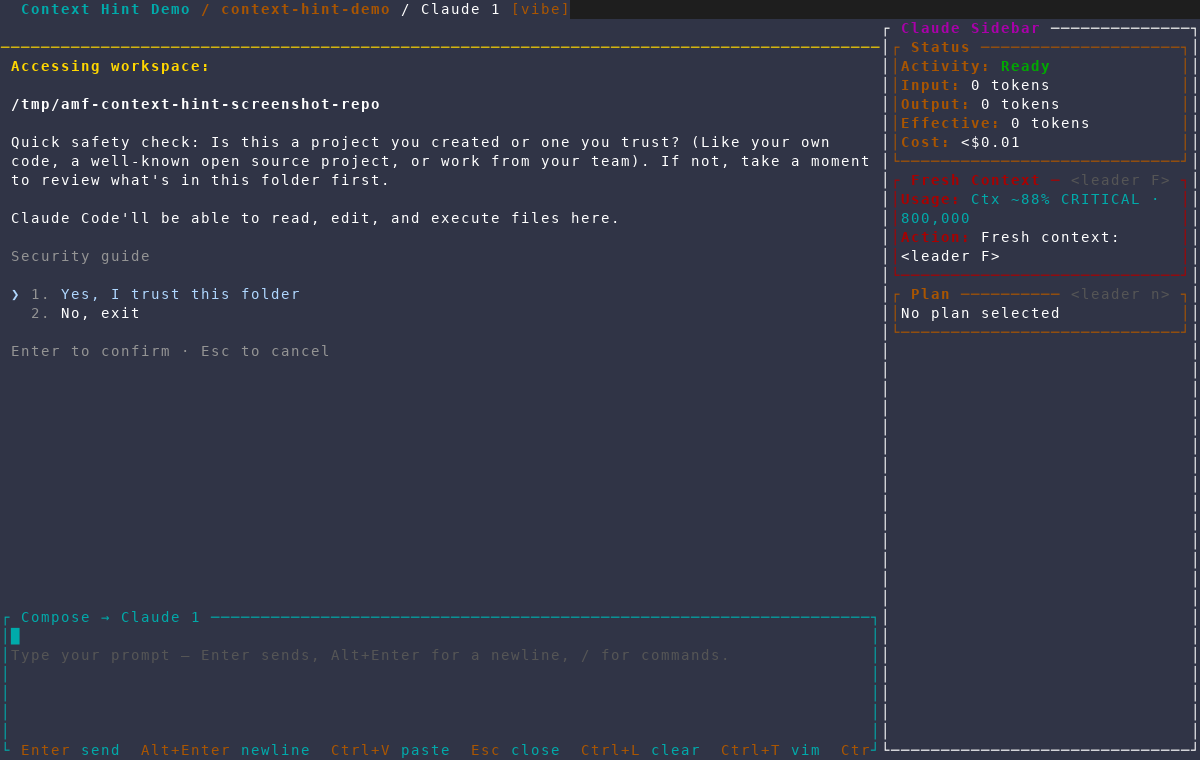
- Context shows the active session's context-window usage, e.g.
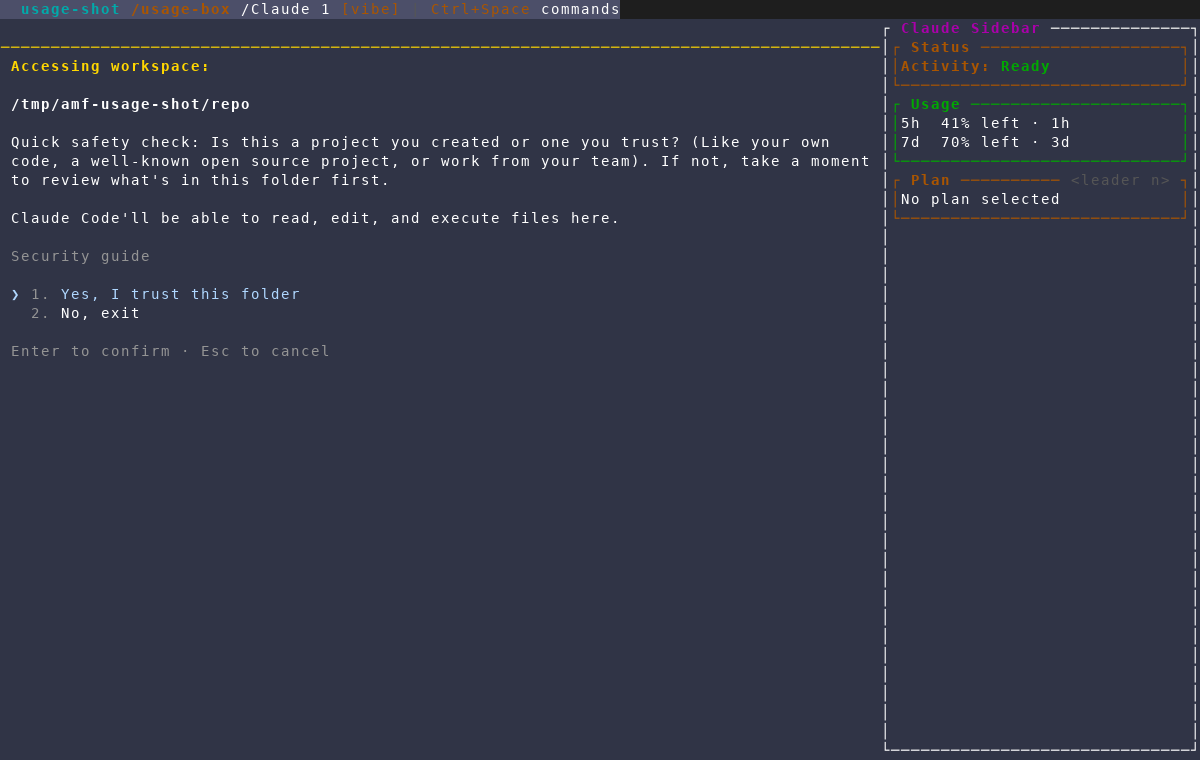
Ctx 42% · 12,345(a~prefix marks a reading AMF estimated rather than read directly from the harness). Approaching the limit appendsWARNINGorCRITICAL; a reading AMF couldn't refresh appendsSTALEbut keeps showing the last real value rather than going blank. In the warning or critical band the section grows two lines:Action: Fresh context: <leader F>— opens a new session seeded with the current diff, so you can keep going without the old conversation's history counting against the new session's budget — andDismiss: <leader X>to clear the hint for that reading. - Usage shows Claude's and Codex's rolling rate-limit windows as small
bars, one per line, drawn like the dashboard status bar's usage bar, e.g.
5h ┃┃┃┃░░░░░░ 38% · 3h(percentage used, changing colour at 50% and 80% like the dashboard's, then time to reset once known). OpenCode and Pi have no known usage API, so the section is simply omitted for their sessions.
Context tracking works across all four harnesses; the usage windows are Claude- and Codex-only. See Choosing a Harness for the full breakdown.
Let AMF summarize a session for you
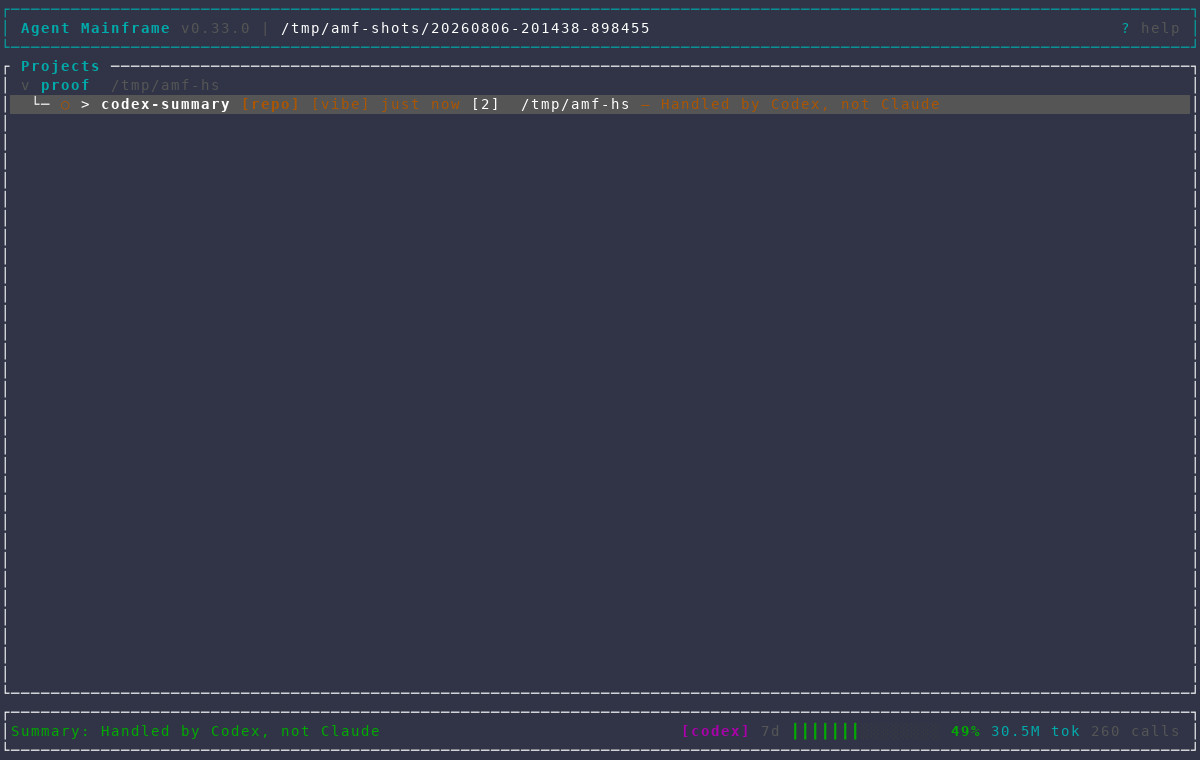
Press Z on the dashboard, or Ctrl+Space, then g from inside a
session, to have AMF write a short (60-character) summary of the selected
feature's recent terminal activity, shown on that feature's dashboard row.
It's a one-off, on-demand call rather than something that runs
automatically — press it again any time the row goes stale. Like Learning
Mode's quick answers, it runs in AMF's restricted, no-tools headless mode,
so it costs one small call regardless of which harness the feature uses.
Keep the machine from filling up
Agents and the editors they sit alongside are the bulk of what AMF puts on your machine, and nothing warns you before the last gigabyte goes.
Before starting an agent, AMF checks how many are already running — across
every project, plus any headless review or plan run in flight — and how
much memory is left. If either is past its threshold, one dialog says
which, and y starts it anyway. It never refuses. Terminals, editors,
and TODO sessions are not counted and never raise it.
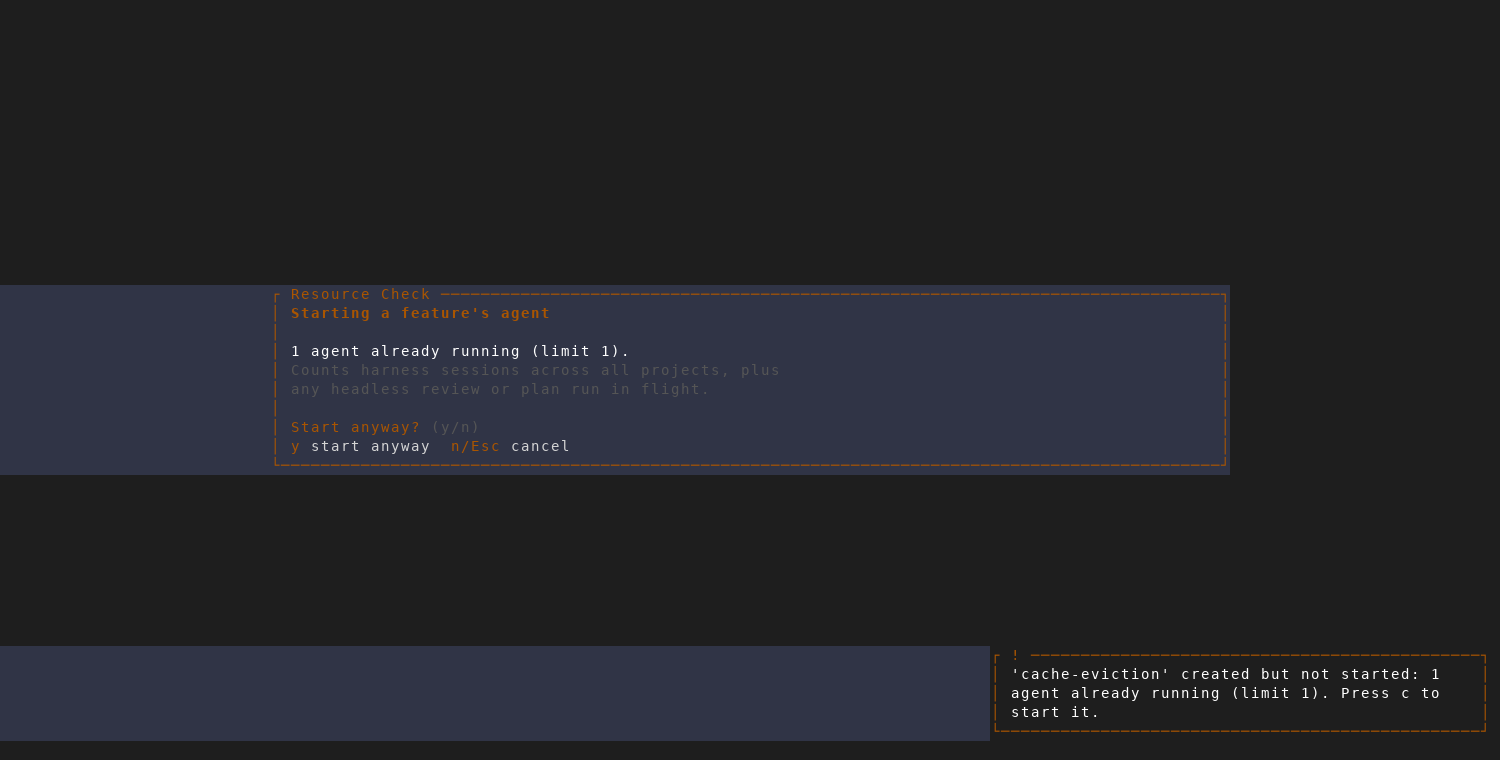
Creating a feature never raises that dialog: a batch create would queue one
per feature. The feature is created and left stopped instead, with a toast
saying why; c starts it.
Stopping a feature also closes the editor AMF opened for it, and the language servers under it — usually the largest thing the feature was holding. AMF only closes a window it opened itself and can still identify; anything else it reports as left alone.
Press z to list dormant features — idle and unattended — with per-row
stop, close-editor, delete, and open.
See Configuration for the
max_concurrent_agents, low_memory_warn_mb, and dormancy threshold
settings that drive these checks.