Understanding a Codebase
Select a feature and press K to open Learning Mode. It is a read-only
reader for the project's code with an agent attached: browse the files,
point at the part you don't understand, and ask about it. Nothing in
Learning Mode changes your files. The only key that can lead to an edit is
S, which hands the answer to an ordinary agent session and says so.
If you don't know where to start, you don't have to. On a project you have
not asked anything about yet, the file list opens on a pinned Start here
group: a ready-made question asking for a tour of the whole project, followed
by whichever of the README, the contribution guide, the entry point, and the
manifest that project actually has. Press t at any time for starter
questions ("Explain this line by line", "What would break if I deleted
this?") that load into the prompt so you can edit them before asking.
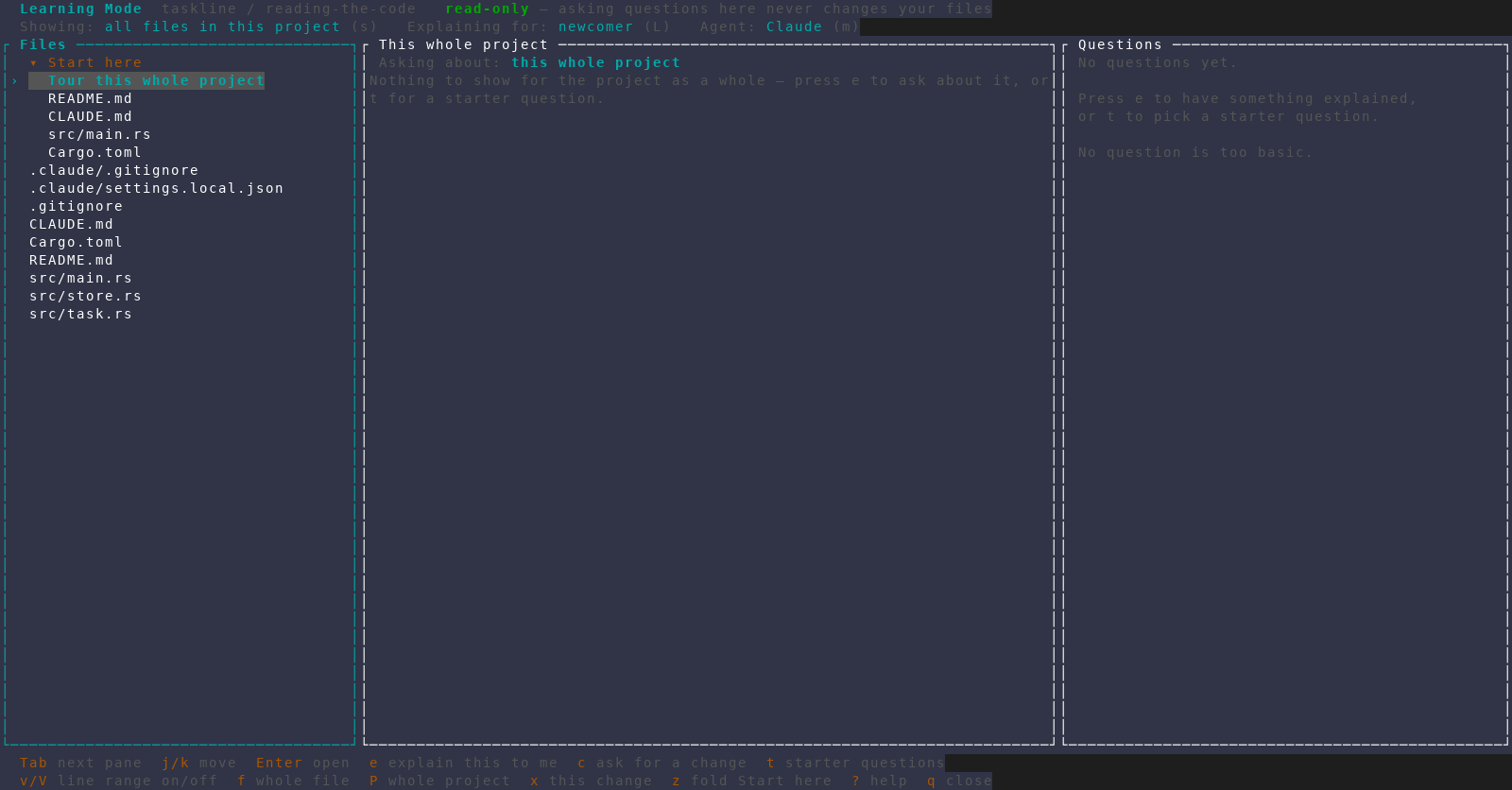
Asking a question
Point at what you want to ask about with f (the whole file), v (start a
line range), P (the whole project), or x (the change under the cursor, in
branch-changes scope). Then ask one of two ways:
| Key | Asks for |
|---|---|
e | Explain this to me — a teaching answer; no change is proposed |
c | Ask for a change — a concrete proposal you can act on later |
Answers are written for a newcomer by default — terms defined on first
use, ending with what to read next — and L switches to familiar for
denser answers.
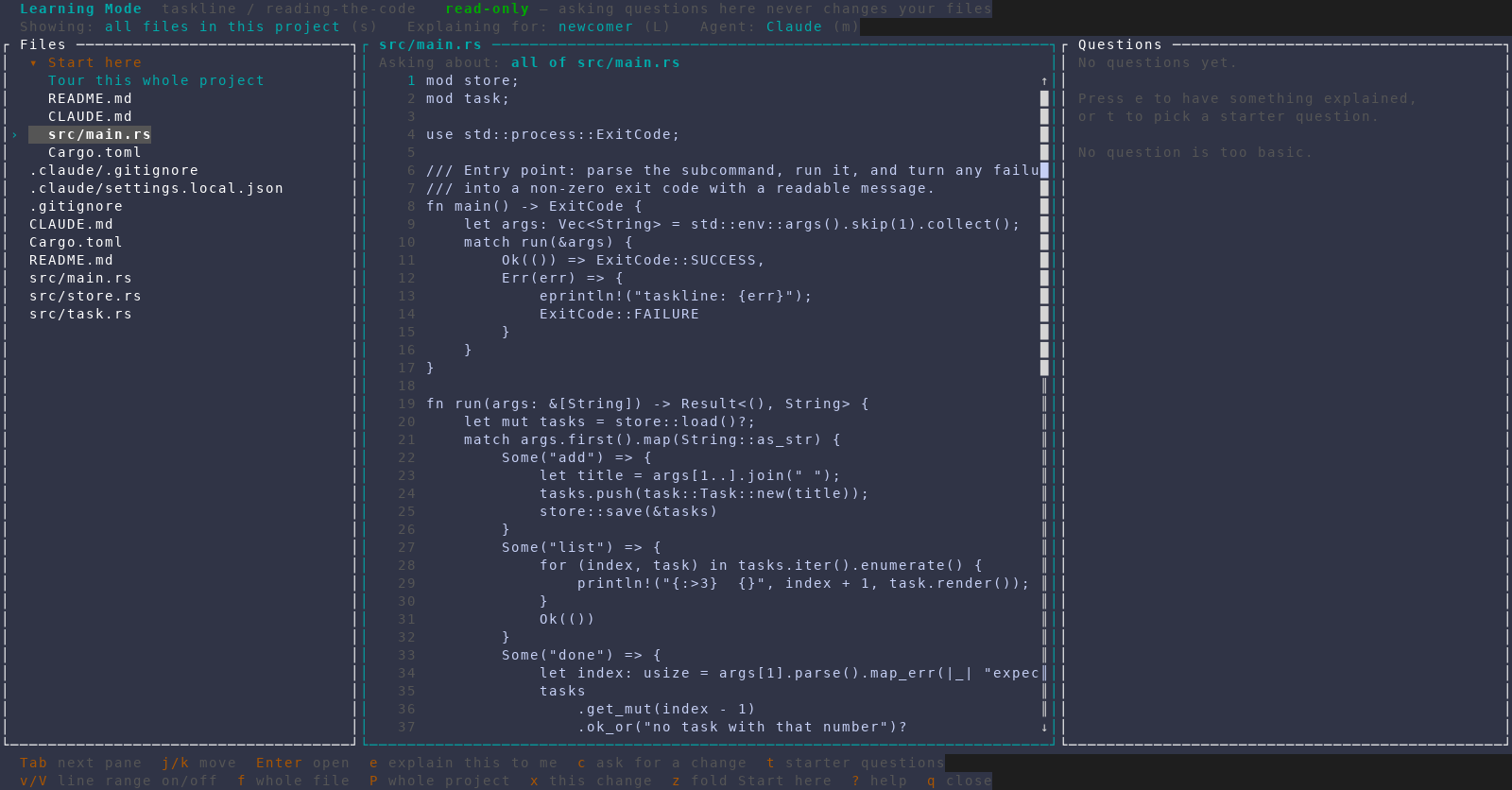
f, ready to ask about it with e or c.Acting on an answer
| Key | Action |
|---|---|
F | Ask a follow-up; the agent keeps the question and answer you just read |
D | Ask again with the repository readable — slower, but it checks |
i | Re-file the entry as the other kind; the answer text is left alone |
a | Keep the answer as a to-do on this feature's TODO list |
S | Hand it to a live agent session, with the prompt filled in and unsent |
D is worth knowing about: an ordinary answer only sees the code on screen,
so it can name files or line numbers that don't exist. D re-asks the same
question with the repository open and keeps both answers so you can read
them against each other. Codex is the exception — it has no way to answer
without reading the repository, so every Codex answer already read it.
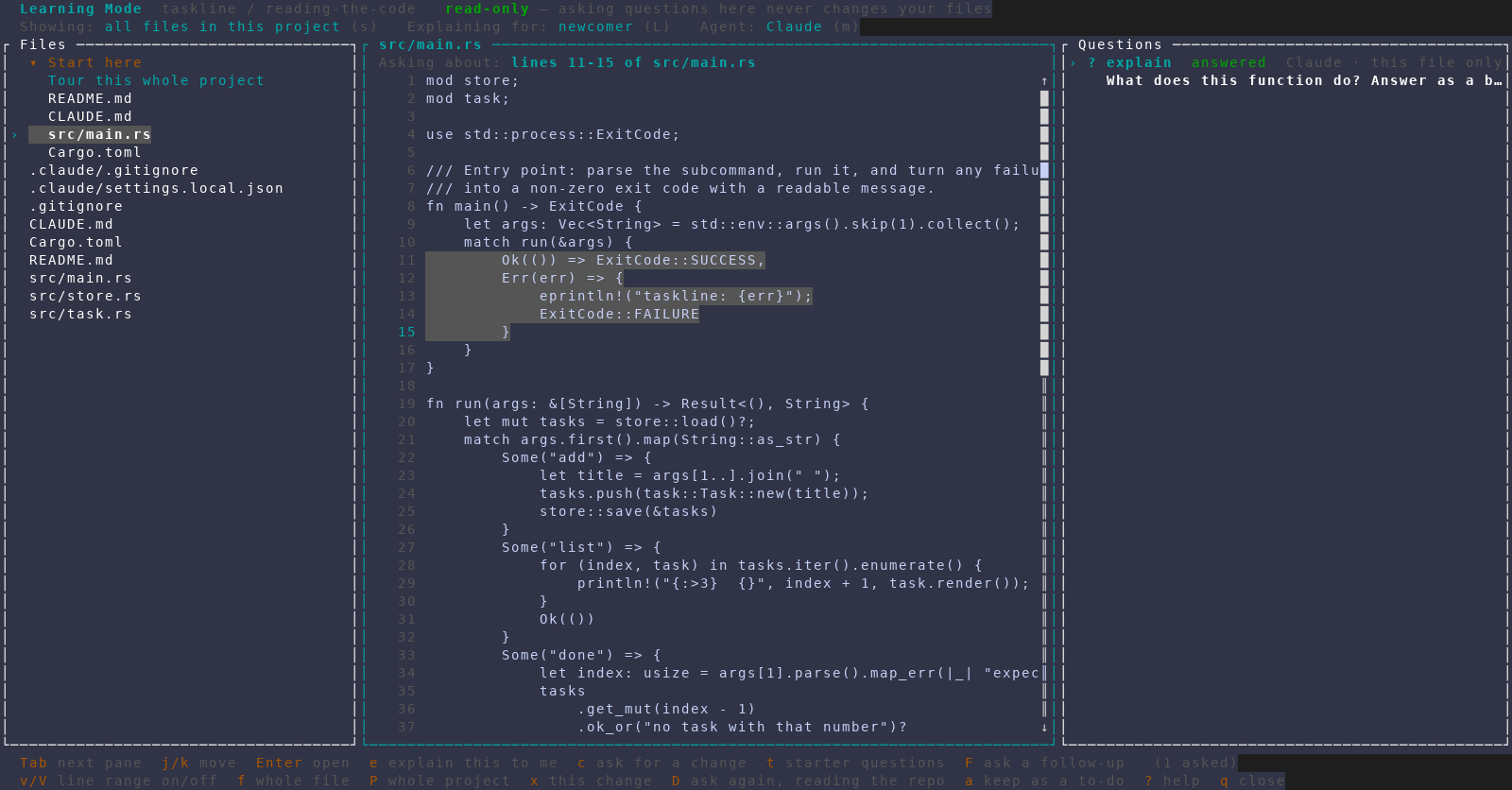
Questions and answers are kept per project, so reopening K brings back
what you asked before. Press ? inside Learning Mode for the full key list.