Core Concepts
Projects, features, and sessions
- A project points to a directory that you want to work in.
- A feature represents one task or branch within that project.
- A session is an agent, terminal, editor, TODO list, or custom command attached to a feature.
For git projects, the first feature can use the repository directory
directly. Additional features use worktrees under .worktrees/, allowing
their agents to work concurrently without changing one another's files.
Press F to fork a feature or B to create several features at once.
Permission modes
AMF asks you to choose how much autonomy an agent receives for each feature:
| Mode | Behavior |
|---|---|
| Vibeless | Shows supported file edits for approval before they are applied. Available for Claude Code and OpenCode. |
| Vibe | Allows edits without AMF's per-edit review gate while retaining the agent's normal permission controls. |
| SuperVibe | Skips agent permission prompts. AMF shows a warning before enabling it. |
Codex and Pi do not support AMF's Vibeless edit-review hooks. Pi also does not receive AMF permission-mode flags. See Choosing a Harness for the full breakdown of what else varies by harness.
Plan mode
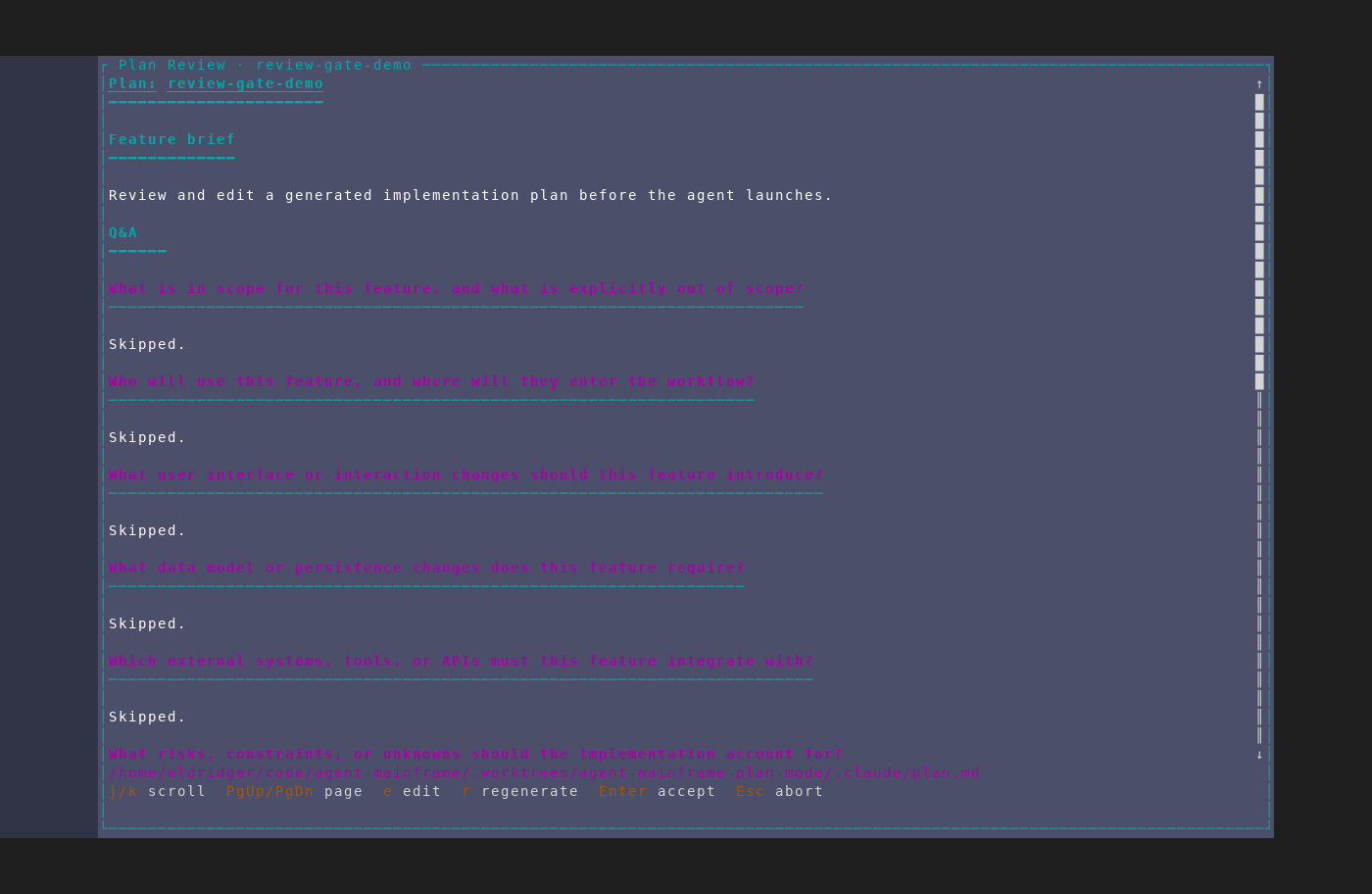
Plan mode interviews you about a feature before launching its agent. You can
review and edit the resulting plan, ask an agent to improve it, or cancel it.
AMF does not save the plan or launch the feature until you accept it. Press
P on an existing feature to run the interview again.
Multiple-choice questions in the interview also take your own answer: press
e to type into the "Your own answer" box under the options.
On the brief step, Ctrl+D attaches up to 4 reference documents (any
readable text file, 512KB each) for the interview to read — a design doc,
an RFC, prior notes — and Ctrl+X drops the last one. Attaching a document
is also what switches the interview's AI passes from writing blind to
reading the repository: with nothing attached they run with no tool
access at all.
To let the interview read a ticket the brief links to (Asana, Linear, Jira, and so on), configure an MCP server for it. See Issue trackers in plan interviews.