Prompts and TODOs
Reuse prompts
Press L to manage reusable prompt templates, or open them from a session
with Ctrl+Space, then p. Templates may include {{placeholder}} fields
that AMF asks you to fill before injection.
Get coaching on your task prompt
Turn on Steering on the create-feature wizard's Mode step and AMF opens
a scored prompt editor for the feature's first task prompt instead of a
blank composer. As you type, AMF checks the prompt against five things a
well-scoped task prompt usually states — file scope, acceptance criteria,
invariants, validation commands, and risks — and shows a teaching tip for
whichever are still missing. Tab injects the prompt into the new
session; Ctrl+T toggles Vim editing.
The same editor reopens on a running session with Ctrl+Space, then s,
pre-filled with that session's latest prompt — useful for steering an
agent that's drifted, not just for the first prompt.
Scoped TODO lists
Add a TODOs session with s to open a checklist — one per feature. The
editor shows up to three lists side by side:
| List | What it holds |
|---|---|
| Worktree | Work belonging to this feature's own checkout. Features on the repo root have no worktree list. |
| Project | Work belonging to the project as a whole, whichever checkout you are in. |
| Global | Work belonging to no project at all, shared across every repo AMF knows about. |
All three scopes start visible. Press p to hide or show the project list
and g to hide or show the global list independently; the worktree list is
always visible when the feature has one. Tab / Shift+Tab move between
visible lists. M moves the selected TODO to another visible list and C
copies it — a move carries whatever was already started for the item, while
a copy lands as fresh, unstarted work.
![TODO list showing a not-started item, an in-progress item marked [~], and a completed item marked [x]](/images/docs/todo-three-states.png)
From any session, press Ctrl+Space, then N to capture a TODO without
leaving your current work. It lands in that feature's worktree list (the
project's if the feature sits on the repo root).
Starting work from a TODO
Press Enter on a TODO to start work on it. AMF asks how:
| Choice | What happens |
|---|---|
| Start an agent on this TODO | Opens a session with the TODO in the composer, unsent — in this feature for a worktree TODO, or in a feature you pick for a project or global one. |
| Start an agent in a new feature | Opens the ordinary create-feature wizard, pre-filled with a branch name from the TODO title. Once the feature exists, the TODO is linked to it and its agent is seeded with the TODO, unsent. |
| Plan this TODO first | Runs the guided plan interview, with the TODO's title, notes, and scratchpad already filled in as the feature brief. |
Press I to work the list rather than a particular item: AMF takes the
highest-priority TODO nobody has started, opens an agent on it, and marks
the item in progress ([~]) so the next I moves on. It considers whichever
lists are currently visible, preferring the narrower scope at equal
priority: worktree, then project, then global.
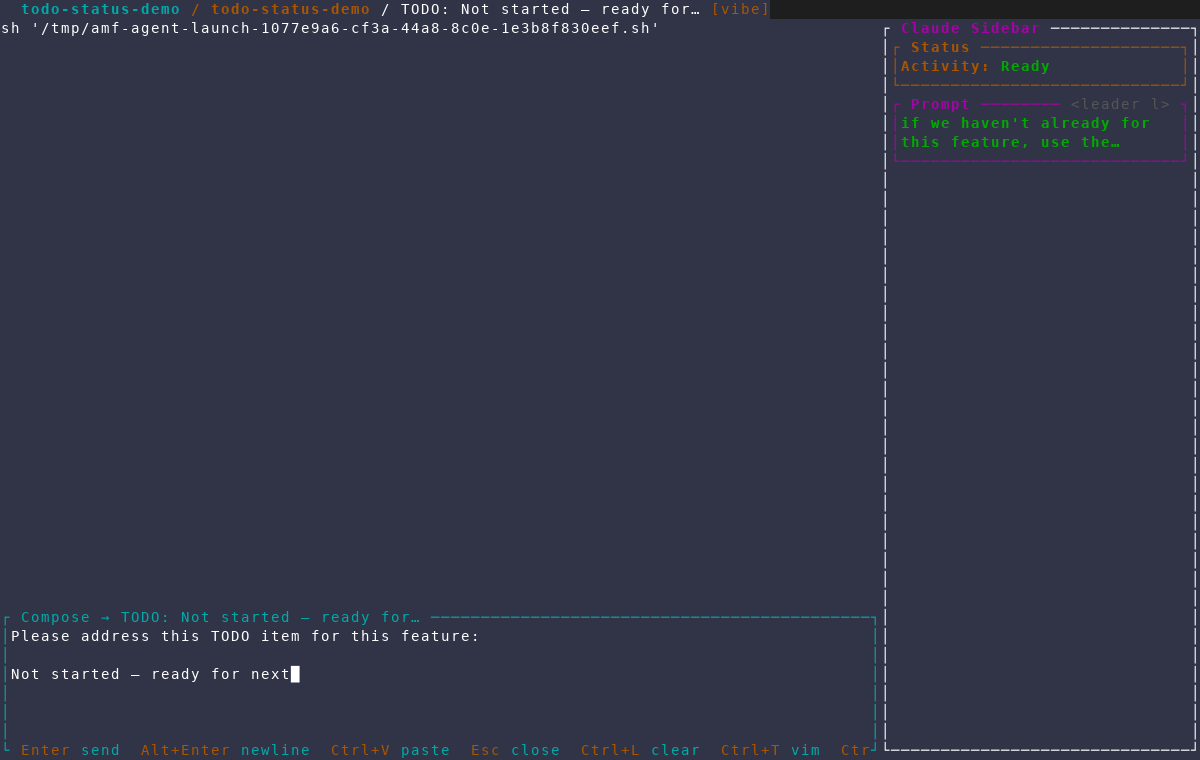
I opens a session on the next TODO with its text already in the composer.Press i on a TODO to set or clear its in-progress mark by hand — useful
when you abandoned a session without closing it.
Deleting a feature deletes its worktree list along with the checkout, so if that list still has unfinished items AMF asks first: move them to the project list, move them to the global list, delete them with the worktree, or cancel the deletion.